PhoneBox: Turn an old Android phone into a custom desk panel
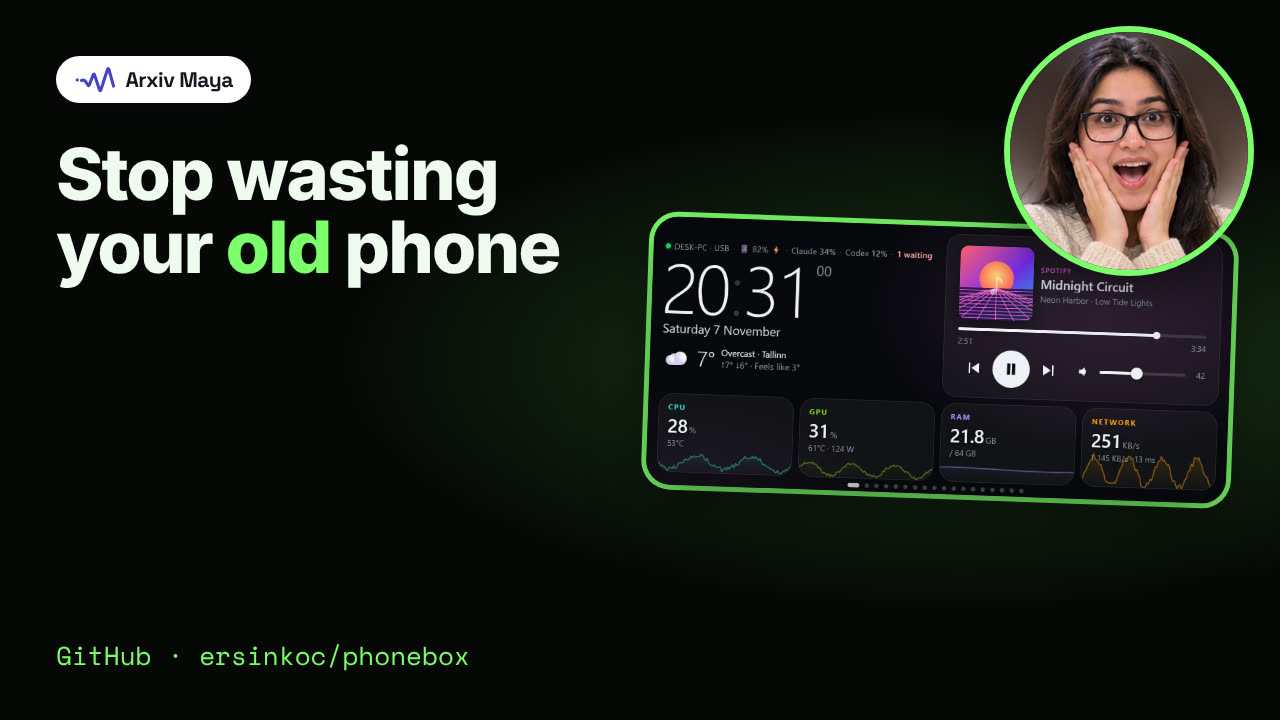
PhoneBox turns an old Android phone into a custom desk panel and touch control deck for your computer, featuring local system monitoring and media controls without any cloud accounts.
The paper, point by point
Repurpose your old phone
Old Android phones often end up as electronic waste even though they still have working touchscreens. You can turn that dusty device into a high-tech dashboard instead of buying expensive hardware control decks.
Meet PhoneBox
PhoneBox is an open source tool created by Ersin Koç. It pairs your old Android phone with your Windows, Linux, or macOS computer over USB or Wi Fi.
Control everything in one place
The app gives you secondary touch display features like system monitoring, media controls, and AI coding session tracking. It helps you avoid constant window switching on your main screen.
Quick and easy setup
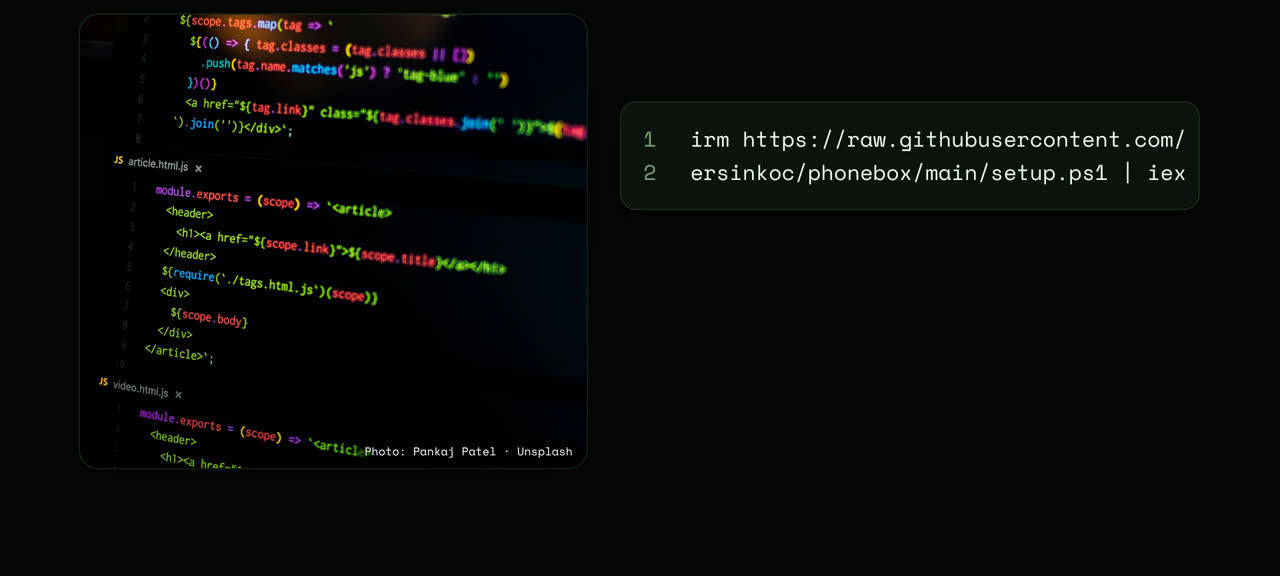
Running one simple PowerShell or bash command downloads the desktop agent and opens the visual editor. You can then customize your layout using a browser interface.
Rapid adoption by developers
Developers love this tool, reaching 3,895 stars on GitHub with 2,022 stars gained recently and 518 forks.

Local and private control
No cloud accounts or telemetry are required to run PhoneBox. Your old device becomes a fully local hardware deck that respects your privacy.
Watch the explainer
Watch on YouTube ShortsWatch on InstagramWatch on FacebookWatch on Threads
Music: "Carefree" Kevin MacLeod (incompetech.com), licensed under Creative Commons: By Attribution 4.0 — creativecommons.org/licenses/by/4.0/
How it works
- Run the setup script in PowerShell or bash to download the desktop agent and open settings.
- Connect your phone via USB with debugging enabled or pair over local Wi Fi.
- Use the browser editor to choose templates and drag widgets to monitor your system.
Key numbers
Why it matters
Power users and developers can save money by repurposing spare hardware into useful touch decks. This reduces electronic waste while giving you a private, local way to monitor system performance and manage tasks.
Words to know
- PhoneBox
- An open source tool to turn an Android phone into a desktop control panel.
- Tailscale
- A secure networking tool that makes it easy to connect devices over the internet as if they were on the same local network.
Made with Maya — an AI-assisted explainer with an AI voice. Numbers come from the source; check the paper for the full details.
Comments
Post a Comment